A Support page for clients
Clients open tickets, attach screenshots, follow replies and rate the answer, all inside the customizer.
Theme
Colour
Saved on this device only, and only if you accepted preference storage.
Theme
Colour
GHL Customizer · Support tickets
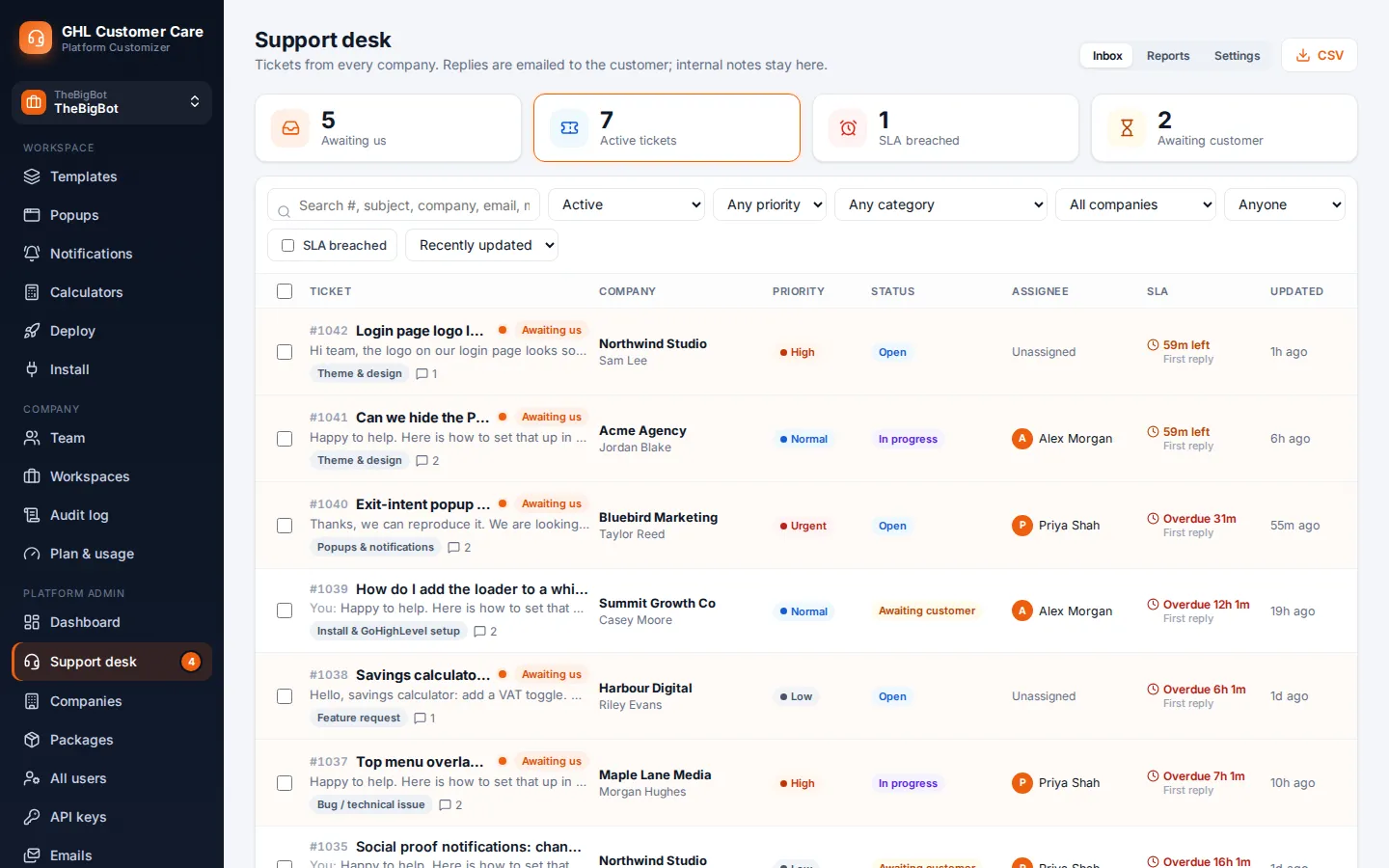
Your clients raise tickets from a Support page, and your team works them from a proper help desk with statuses, internal notes, canned replies, SLA targets and reports. No extra tool, no extra login.
Beta · Free Free during beta, every feature included.
Why it matters
When requests arrive in personal inboxes, nobody knows who is on what, how long a client has waited or which problems keep coming back. A desk gives every request a number, an owner and a trail.
Stock GoHighLevel
With the GHL Customizer
Take the tour
Screenshots from the live customizer. Pick a screen on the left to see it full size.
What you get
Clients open tickets, attach screenshots, follow replies and rate the answer, all inside the customizer.
An inbox with filters, statuses from open to closed, priorities, assignees and bulk actions.
Internal notes that clients never see, and saved replies for the questions you answer every week.
Set response targets and see at a glance which tickets are close to breaching.
Ticket volume, response times and satisfaction over time, plus a CSV export of everything.
Your team hears about new tickets and clients hear about replies, and resolved tickets close themselves after a quiet week.
How it works
From the Support page, with a category, a description and screenshots.
Assign it, reply, leave internal notes and move it through the statuses.
The client is emailed, rates the answer, and the ticket closes itself after a quiet week.
Questions
Users of client companies open tickets from the Support page. Each company only ever sees its own tickets.
Yes. Images, PDFs, text files and zips up to 5 MB each. Files attached to internal notes stay visible to staff only.
Yes. Clients are emailed when the team replies, and staff are emailed when a new ticket or reply comes in.
Yes. Merge a duplicate into the original so the whole conversation sits in one place.
Sign in, try support desk on your own brand and paste two lines into GoHighLevel. No card, no plans to pick.
Reading settings