Rename, reorder and hide
Drag items into order, give them your own names and icons, and hide what a client does not need. Group items under headings.
Theme
Colour
Saved on this device only, and only if you accepted preference storage.
Theme
Colour
GHL Customizer · Menu builder
Rename, reorder, hide and group every menu item. Then choose where the menu lives: a left or right sidebar, a top bar, a merged header, mega menus or a floating quick menu. Agency and sub-account views each get their own layout.
Beta · Free Free during beta, every feature included.
Why it matters
The stock menu shows everything to everyone, in GoHighLevel’s order, with GoHighLevel’s names. Clients get lost, open the wrong thing and email you. A menu built for them means fewer questions and a product that feels designed.
Stock GoHighLevel
With the GHL Customizer
Live preview
Choose a layout and a header style, then use the menu inside the preview. It runs the same menu engine that runs inside GoHighLevel.
What you get
Drag items into order, give them your own names and icons, and hide what a client does not need. Group items under headings.
Keep the menu on the left, dock it on the right or turn it into a top bar with a merged header that saves a whole row of space.
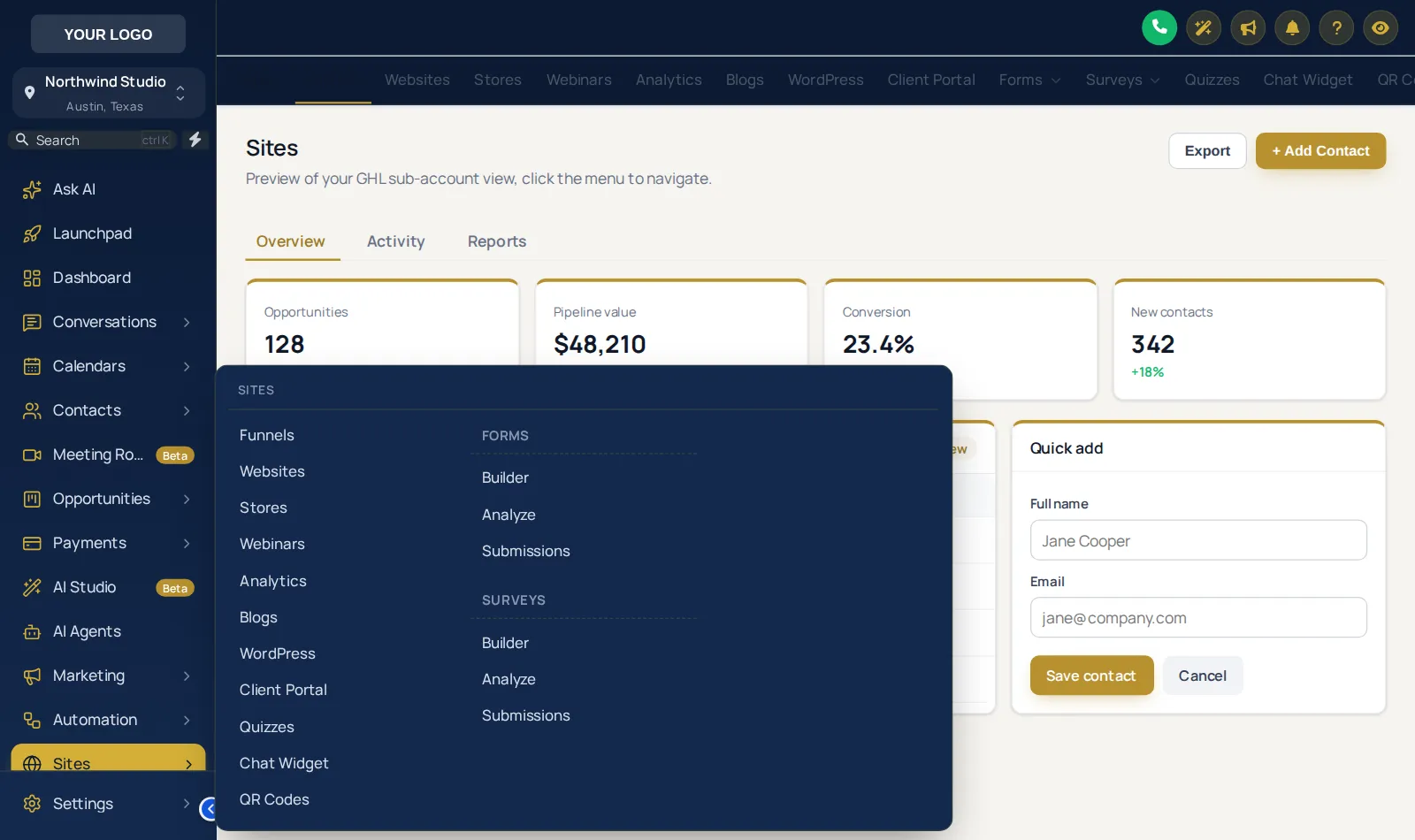
Sections such as Payments or Sites open their sub-pages in a list or a wide mega menu, in eight styles from columns to tiles.
A bubble, dock or side rail with the pages people use most, always one click away, even in settings.
Add links to your help centre, booking page, courses or anything else, opening in the app or a new tab.
Choose where a sub-account opens after sign-in, pick a header style and hide header buttons you do not want clients to press.
Screenshots
Mega menu: every sub-page at a glance
Left sidebar with section tabs in the header
Top bar navigation
Sidebar docked on the right
Top bar merged with the header into one row
Floating quick menu as a dock
Collapsed icons with the aurora header style
The menu builder in the customizer
Sidebar position and top bar designs
How it works
Drag items into order, rename them, pick icons, hide what is not needed and add your own links.
Sidebar, right dock or top bar, with the header style and sub-menu style you like.
Agency and sub-account views update on their next page load. Change it again whenever you like.
Questions
Settings pages keep a clear way back. In top bar mode the settings links sit in the top bar, and you can pin individual settings pages to the floating menu.
Sign in, try menu builder on your own brand and paste two lines into GoHighLevel. No card, no plans to pick.
Reading settings